
Guides · 08 / 10
Print 田字格 and other practice sheets
Every list can become a sheet to write on with a pencil. Practice sheets print free: page 1 of each sheet, as many sheets as you like.
Step 1: Open Print sheets
Open a list and tap Print sheets. The preview at the top updates as you change the options.
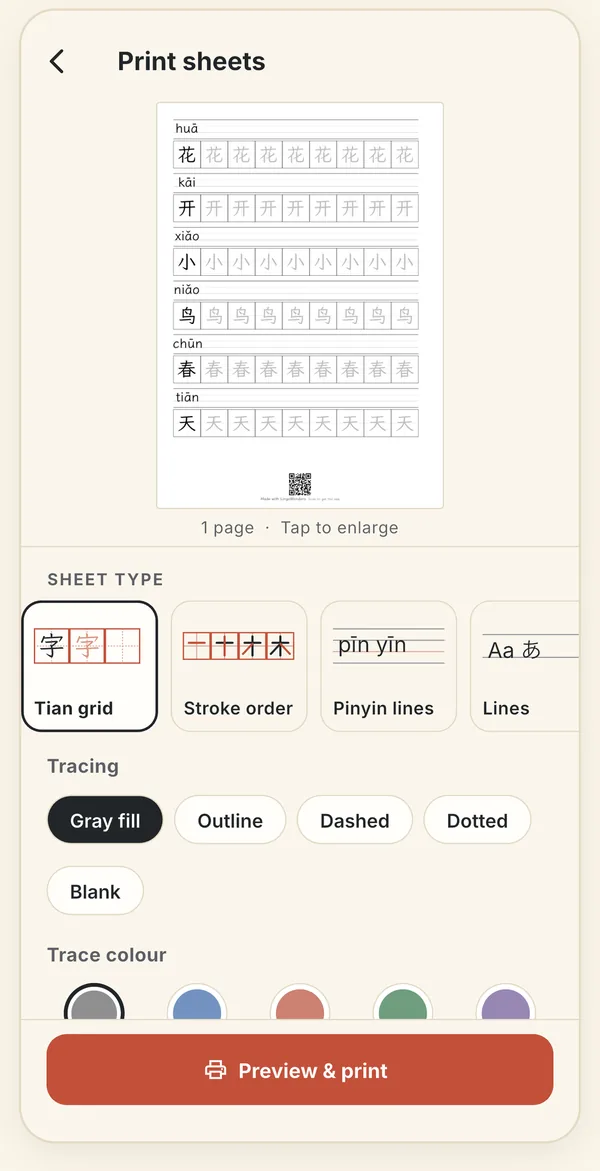
Choose the sheet type, the tracing style and the trace colour; the preview follows. Step 2: Pick a sheet type
- Tian grid: 田字格 with 描红 tracing, and pinyin over the characters.
- Stroke order: stroke-order sheets and strips (Pro).
- Pinyin lines: the four-line pinyin sheet.
- Lines and Square grid, including English handwriting lines.
- Combined PDF: several sheet types in one file (Pro).
Step 3: Set the tracing
Choose how the trace copies look: gray fill, outline, dashed, dotted or blank. Trace colour and Trace fade are Pro, along with the 标准楷书 textbook kai, School print and Sloped print fonts. Repeat whole list prints the list more than once.
Step 4: Preview and print
Tap Preview & print. Then Print sends it to any AirPrint printer, Share PDF saves it to Files or sends it on, and Save image keeps a picture. Sheets come in A4 or US Letter.
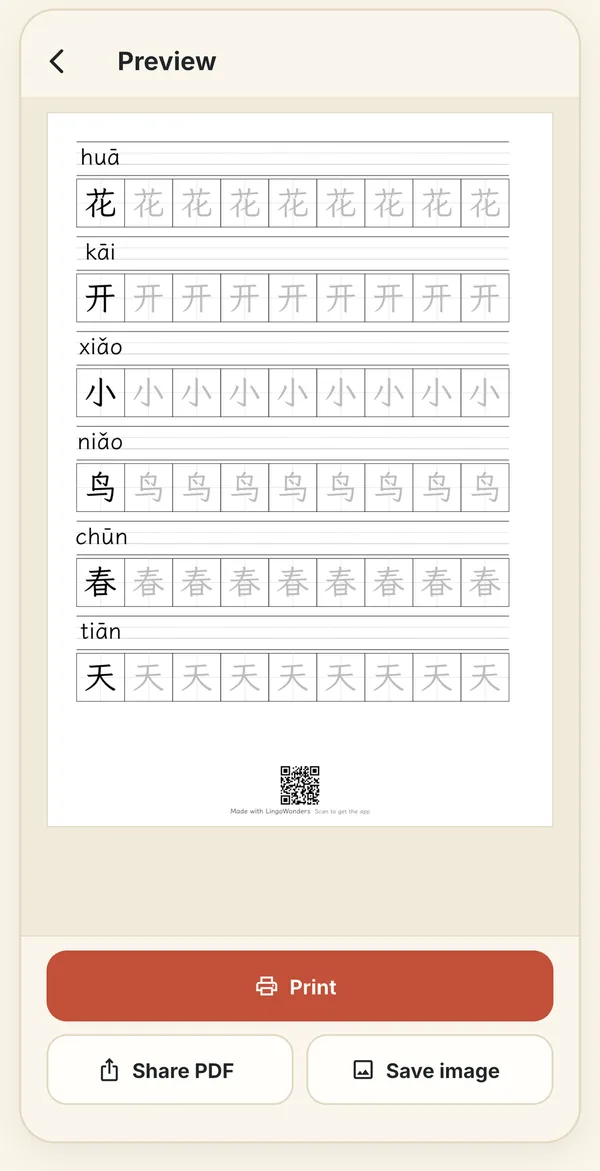
The preview, with Print, Share PDF and Save image. Step 5: Try Pro options before you buy
Options marked PRO can be tried for free: the preview shows page 1. To print, unlock Pro or tap Use free options.
Still stuck? The app has its own Help & FAQ under Settings, or write to lei@appfactory.sg. A real person reads every message.